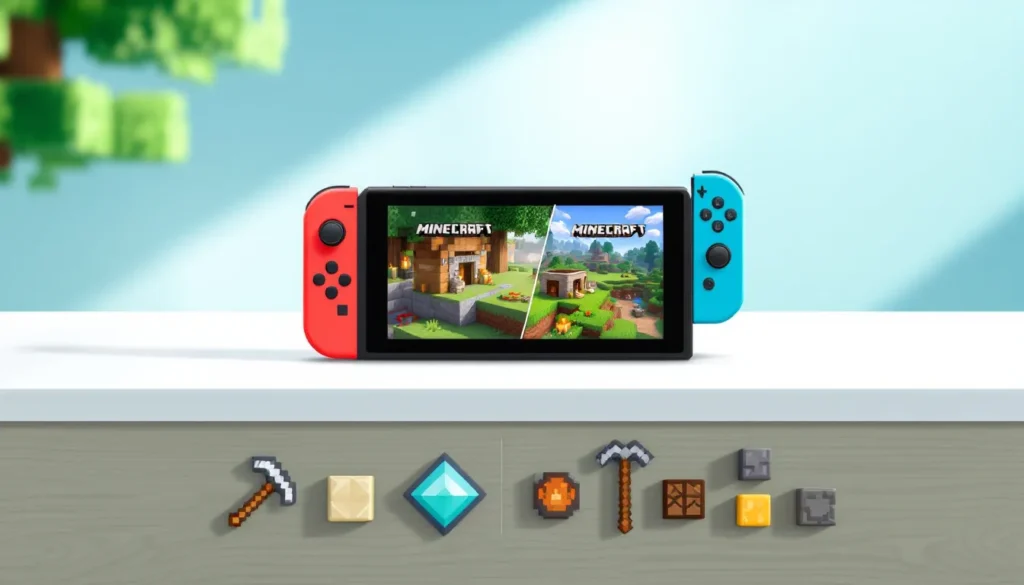
Minecraft on Nintendo Switch has evolved into one of the most versatile sandbox experiences available on a handheld-hybrid console. Whether you’re playing docked on your TV, in tabletop mode, or fully portable in handheld mode, the Nintendo Switch version of Minecraft delivers the full block-building experience without compromise. Since its launch on the platform, the game has received consistent updates that bring it closer to parity with other versions while maintaining the portability that makes the Switch special. Players ranging from creative architects to hardcore survival enthusiasts have found their home here, and the 2026 update cycle continues to refine performance and add new content. This guide covers everything you need to master Minecraft on Nintendo Switch, from your first night of survival to building elaborate structures and exploring with friends.
Key Takeaways
- Minecraft game for Nintendo Switch uniquely offers seamless portability across docked TV play, tabletop mode, and handheld gaming without sacrificing the full sandbox experience.
- Local split-screen multiplayer for up to four players makes the Switch an ideal platform for cooperative building and exploration with friends in the same room.
- Master survival mode by prioritizing wood gathering, crafting tools, securing shelter before nightfall, and managing hunger through farming or hunting animals.
- Creative mode provides unlimited blocks and flying abilities, making it perfect for architectural planning, redstone experimentation, and pressure-free building projects.
- The Switch version runs at 1080p docked with solid 60 FPS performance in single-player, and supports cross-platform play through Realms ($8/month subscription) with Windows, mobile, and other consoles.
- Boss battles like the Ender Dragon and Wither require strategy over raw damage, with careful planning and positioning often outweighing advanced gear for success.
What Makes Minecraft on Nintendo Switch Unique
The Nintendo Switch version of Minecraft stands apart because it bridges handheld gaming with home console capabilities. You can start a world on your TV, dock the console, and pick up exactly where you left off in handheld mode, a flexibility that PC and console players don’t have. The touch screen functionality on the Switch adds another layer, letting you quickly navigate menus and select items from your inventory with a tap rather than cycling through buttons.
Performance-wise, the Switch runs Minecraft at 1080p docked and 720p handheld, with the game maintaining a solid 60 FPS in most scenarios. While this doesn’t match the graphical prowess of a high-end gaming PC, it’s more than adequate for the game’s art style and provides smooth, responsive gameplay. The draw distance is configurable, so you can prioritize performance or visibility depending on your hardware preference and whether you’re docked or portable.
Local multiplayer is another major strength. The Switch supports split-screen play for up to four players on a single console, making it a genuine local co-op machine, something that’s increasingly rare in modern gaming. This feature alone makes the Switch version essential for anyone who wants to build and explore with friends in the same room. Also, the game supports cross-platform play with Windows 10, Windows 11, mobile, and other consoles through Realms, so you’re not locked into playing only with other Switch owners.
Game Modes and Features
Survival Mode Basics
Survival mode is where most players start their Minecraft journey. When you begin, you spawn into a world with nothing in your inventory except the ability to break blocks with your bare hands. Your first priority is gathering wood from trees, which you’ll craft into a crafting table and basic tools. From there, you’ll hunt for stone, which upgrades your tool durability significantly.
The survival mode loop is straightforward: gather resources during the day, avoid hostile mobs at night, and gradually improve your tools, armor, and shelter. You can adjust the difficulty from Peaceful (no mobs) to Easy, Normal, and Hard, each affecting mob damage output, how fast hunger depletes, and whether mobs can destroy blocks. Many new players underestimate how important it is to secure shelter before nightfall, your first structure doesn’t need to be fancy, just escape-proof.
Hunger is a core survival mechanic. You need to hunt animals, farm crops, or cook raw meat to stay fed. On Hard difficulty, starvation can actually kill you: on lower difficulties, your health stops depleting once hunger runs out. This prevents new players from softlocking themselves by accident.
Creative Mode Possibilities
Creative mode is pure sandbox freedom. You have unlimited blocks, access to every item in the game, and the ability to fly. Mobs don’t attack, you don’t need food, and you can’t take fall damage. This is where architectural ambition meets execution without the grind.
Creative mode is ideal for planning complex builds before committing them to a survival world, experimenting with redstone contraptions, or simply enjoying the act of building without pressure. The ability to select and copy entire structures makes terraforming and copying designs significantly faster than placing blocks one at a time.
For educational use, Creative mode also opens possibilities for teachers and parents to guide building projects with children, since there’s no resource scarcity or danger to manage.
Adventure Mode and Realms
Adventure mode is less commonly used but powerful for custom maps and community-created experiences. In Adventure mode, you can’t break or place blocks unless the map creator has specifically allowed it, making it perfect for adventure maps, parkour courses, or story-driven experiences.
Minecraft Realms is a subscription-based service that lets you create your own persistent world on Microsoft-owned servers. On the Nintendo Switch, Realms allows up to 10 players to join your world at any time, and the world stays active even when you’re offline. It’s the cleanest solution for online multiplayer without requiring you to manage a server or rely on peer-to-peer connections that can lag or disconnect.
Getting Started: Essential Tips for New Players
Controls and Navigation on Nintendo Switch
The Switch controller layout for Minecraft is intuitive once you spend 10 minutes adjusting. The right stick controls your camera view, while the left stick moves your character. ZR aims (if holding a bow) or attacks, ZL places blocks, and the Y button opens your crafting menu. X opens your inventory, and A jumps (hold it to swim faster). These button assignments are customizable in the settings if you want to remap them.
The D-pad or left stick can cycle through hotbar items, and the right stick click toggles between first-person and third-person perspective. Navigation feels natural on a controller after the first hour, though mouse and keyboard players will notice the slower block placement speed compared to PC.
The Switch’s touchscreen also works for menu navigation, which some players find faster for inventory management than button cycling. You can tap items to move them or use the touch screen to craft recipes without opening the full crafting menu.
Your First Night: Survival Strategy
If you’re spawning into a new survival world on Normal or Hard difficulty, your first few in-game hours are critical. Here’s the priority sequence:
- Gather wood immediately. Break at least three logs from nearby trees. Avoid attacking at night without shelter.
- Craft a crafting table and wooden tools. Your first crafting table goes on the ground (use it to craft planks into sticks, then combine sticks with planks for basic tools).
- Mine stone with your wooden pickaxe. Wooden tools can’t mine stone, so craft a wooden pickaxe first. Once you have stone, craft a stone pickaxe, this is your real workhorse.
- Find shelter or build one before sunset. A simple enclosed room is enough. Mobs can’t spawn inside blocks, so even a 3×3 room with a door keeps you safe.
- Light your shelter. Craft torches (coal or charcoal + sticks) and place them so mobs don’t spawn. Light is your friend.
Your first night will feel tense if you’re new to survival, but once you’re secure inside your shelter with the door closed, hostile mobs can’t enter. You can hear them outside, which creates atmosphere, but you’re safe. Use this time to craft, organize your inventory, and plan your next moves.
Building Your First Shelter
Materials and Crafting Essentials
Your first shelter doesn’t need to be beautiful, it needs to be functional. The essentials are walls, a roof, a door, and interior lighting. Standard materials for a beginner shelter are logs, planks, or stone, depending on what’s available near your spawn.
Before building, gather these crafting staples:
- Crafting Table: One crafted table placed inside your shelter lets you make more complex items than the inventory crafting grid allows.
- Furnace: Smelts ore and cooks food. It requires eight stone blocks arranged in a square (leaving the center empty). This is your second priority after securing shelter.
- Torches: Charcoal (smelt logs in a furnace) or coal combined with sticks creates torches. Place them to keep mobs from spawning in your shelter.
- Wooden Door: Planks arranged in a specific pattern create a door. This keeps zombies and other melee mobs out, though creepers can still blow up if they’re nearby.
- Chest: Eight planks arranged in a square (leaving the center empty) give you a storage container. Expandable by placing chests next to each other to create larger storage.
Once these are crafted, you’ll have a functional base. Expansion and decoration come later.
Design Tips for Functional Structures
Functional doesn’t mean boring. Even simple designs can look intentional with a few tweaks. Here’s what separates a ramshackle hut from a respectable homestead:
Vertical variety: Don’t make everything the same height. Add a second story, a peaked roof, or varied wall heights. This breaks up monotony and creates visual interest.
Block variation: Use multiple block types. Stone walls with wooden accents, different colored concrete, or natural blocks like dirt and grass prevent the structure from looking flat and lifeless.
Lighting inside and out: Place torches outside your shelter to keep mobs from spawning too close. Inside, varied lighting (torches, lanterns, or glowstone) creates ambiance and serves practical purposes.
Organized interior: Dedicate specific areas. A crafting zone with your table and furnace, a storage room with labeled chests, a bedroom with a bed (which lets you set your spawn point). This looks intentional and feels lived-in.
Entrance design: A raised entrance with steps or a small porch separates your living space from the wilderness. It’s a small touch that signals “someone lives here.”
Don’t overthink it, your goal at this stage is survival, not architectural mastery. Once you’re established and safe, you can return and rebuild to higher standards. Many experienced players tear down their first base entirely once they’ve progressed and built something more ambitious elsewhere.
Multiplayer and Social Features
Local Split-Screen Play
Local split-screen on the Nintendo Switch is where the platform truly shines for multiplayer Minecraft. Up to four players can play simultaneously on a single console, each with their own view of the world. The screen splits into quadrants, and each player controls one character independently.
Split-screen is perfect for playing with family or friends in the same room. The controller setup is straightforward: pair up to four controllers, each with its own input. Performance does dip slightly when running four-player split-screen compared to single-player, but it remains playable and smooth enough for casual and cooperative builds.
One practical note: split-screen worlds are local-only and can’t be played online. If you want to involve remote friends, you’ll need to move to Realms or another online solution.
Online Play and Cross-Platform Connectivity
Online multiplayer on the Switch works through Realms or by joining worlds hosted by other players. If you have a Minecraft Realms subscription, you can invite friends to a persistent world that’s always active. The Switch version supports cross-platform play, meaning you can play with friends on Windows 10, Windows 11, mobile devices, and other consoles.
Realms is a subscription service ($8/month or $30 for six months as of 2026), but it eliminates lag and connection instability compared to peer-to-peer play. Your world is backed up and always available, which is valuable for long-term builds. You can also play on public Realms servers, though these tend to be more chaotic and less suitable for focused building projects.
If you don’t want to pay for Realms, you can join worlds hosted by friends on a peer-to-peer basis. This works, but connection quality depends on your internet and the host’s upload speed.
Advanced Gameplay: Exploration and Combat
Finding Biomes and Resources
Once you’re settled and have basic tools, exploration becomes rewarding. The Minecraft world is procedurally generated and divided into biomes, each with distinct terrain, mobs, and resources. A Desert biome looks completely different from a Taiga or Ocean biome, and biomes directly influence what resources are available.
Key resources to hunt for include:
- Coal: Found as ore in stone. Smelt it or use it directly as fuel.
- Iron: Common ore that requires a stone pickaxe or better to mine. Smelt it into ingots for armor and tools.
- Copper, Lapis, and Redstone: Mid-tier ores with specific uses. Copper creates weathered decorative blocks, Lapis Lazuli dyes items blue and enchants tools, and Redstone powers contraptions.
- Diamond: The late-game ore, requiring an iron pickaxe or better. Found deep underground and extremely valuable for top-tier tools and armor.
- Netherite: The endgame ore found in the Nether dimension. Requires ancient debris, which must be smelted with gold to create Netherite scraps, then combined to craft Netherite ingots.
Exploration is safer with armor and a sword. Iron armor provides decent protection, but diamond armor is where you feel truly protected. The Switch version includes a navigation compass and can display coordinates (toggle this in settings), making it easier to navigate back to your base from distant biomes.
Battling Mobs and Defeating Bosses
Combat on the Switch is straightforward once you understand mob behaviors. Zombies and Skeletons are common at night and in dark areas. Zombies move slowly and deal melee damage: Skeletons shoot arrows from a distance. Creepers are the most dangerous at night, they approach silently and explode, destroying terrain and potentially killing you. Spiders are fast and can climb walls, and Endermen teleport but only attack if you look directly at them.
Your sword is the primary weapon, and a diamond sword or Netherite sword gives you respectable damage output (about 7-8 damage per hit). Combine this with armor and you can handle most encounters. Critical hits (jumping while attacking) deal 1.5x damage, which becomes essential for bosses.
The Ender Dragon is the final boss and the most significant challenge in vanilla Minecraft. Defeating it requires reaching the End dimension, which involves finding a Stronghold buried deep underground and locating the End Portal frame. The Ender Dragon attacks from the air and must be shot with arrows or attacked carefully to avoid falling. It’s genuinely difficult on Normal or Hard difficulty and represents the progression pinnacle for most survival players.
The Wither is a secondary boss summoned by placing soul sand and wither skeleton heads in a T-shape. It’s arguably harder than the Ender Dragon due to its explosion attacks and rapid health regeneration. Defeating it drops a Nether Star, which crafts beacons, powerful utility blocks.
Strategy trumps raw damage in boss fights. Building platforms to shoot from, using healing items like golden apples, and understanding attack patterns matter more than having perfect gear. Many experienced players defeat the Ender Dragon wearing only iron armor through careful planning.
Frequently Asked Performance Questions
Does Minecraft on Nintendo Switch lag or stutter?
Single-player performance is generally smooth at 60 FPS when docked and 30 FPS in handheld mode (though this can be toggled). But, large builds with many redstone contraptions, complex Nether portals, or heavily modified terrain can cause frame drops. Split-screen multiplayer also reduces performance slightly due to rendering four viewpoints simultaneously. If you’re experiencing stuttering, reduce render distance or disable visual particles in settings.
What’s the world size limit on Switch?
The Switch version of Minecraft supports “Limited” and “Unlimited” world types. Limited worlds are smaller (roughly equivalent to old console editions) and have defined borders, making them feel more contained. Unlimited worlds are much larger but can eventually hit memory limits if you explore too far or build excessively. For most players, this limit isn’t a practical concern unless you’re trying to build multiple massive structures.
Can I transfer my world between devices?
Transferring a world from Nintendo Switch to another platform is complicated and not officially supported. Your Switch save is locked to the console. But, if you use Realms, your world is synced to Microsoft’s servers and can be accessed from other platforms. This is the safest way to preserve progress across devices.
Is the Switch version missing features compared to other versions?
The Switch version is feature-complete for Survival and Creative modes but lags slightly behind Java Edition in some technical aspects (like redstone mechanics and command options). But, for casual and intermediate players, you won’t notice missing features. Recent updates have brought the Switch version closer to parity with Bedrock Edition (Windows/Console). Check patch notes when updates release to see what’s been added.
Are there accessibility options?
Yes. Minecraft on Switch includes text-to-speech, screen reader options, and customizable controls for players with disabilities. These are found in the Accessibility settings and allow players of all abilities to enjoy the game.
Does the Switch version support mods?
Official mod support is limited. You can’t install mods directly like on Java Edition. But, the Marketplace (within the game) offers community-created content packs, skins, and worlds that add flavor. This isn’t “modding” in the traditional sense but provides new experiences without technical complexity.
How much storage does Minecraft take up?
Minecraft itself is roughly 300-400 MB (about 0.4 GB), which is tiny by modern standards. But, worlds you create will add storage depending on their size and complexity. A single survival world might range from 100 MB to 1+ GB depending on how much you’ve explored and built. The Nintendo Switch comes with 32 GB of internal storage, so consider a microSD card (256 GB or larger) if you plan to install multiple games and create large Minecraft worlds.
Conclusion
Minecraft on Nintendo Switch is the most accessible version of the game for portable, couch-friendly gaming. Its strengths lie in local multiplayer, the ability to play anywhere, and a feature set that covers everything a casual to intermediate player needs. The performance is solid for a handheld hybrid, the controls are intuitive on a gamepad, and the sheer amount of content, between Survival, Creative, and Adventure modes, provides hundreds of hours of gameplay.
Whether you’re building architectural masterpieces in Creative mode, grinding through survival with friends via split-screen, or exploring the Nether and End dimensions for late-game resources, the Nintendo Switch delivers a complete Minecraft experience. New players should focus on mastering the survival loop: gather, build, organize, expand. Once you’re comfortable, exploration and ambitious builds become naturally rewarding.
The platform choice eventually depends on your priorities. If you value portability, local multiplayer, and simplicity, the Switch version is exceptional. If you’re chasing redstone engineering complexity or maximum visual fidelity, you might prefer PC or other platforms. But for most players looking for an approachable, feature-rich sandbox that fits into a gaming life outside the home, the Nintendo Switch remains one of Minecraft’s best iterations. Keep an eye on updates throughout 2026, as Minecraft continues evolving with quality-of-life improvements and new content drops that benefit all platforms equally.